New Relic integration for Splunk On-Call 🔗
Use the New Relic integration for Splunk On-Call to define alert queries inside New Relic then deliver them through Splunk On-Call to the proper escalation team. With varied URLs that hold different routing keys, you can manage multiple on-call teams and New Relic channels.
With the Splunk On-Call New Relic integration, teams are able to:
Integrate New Relic with Splunk On-Call for complete awareness of application performance and alerts
Collaborate in the Splunk On-Call timeline around New Relic monitoring data to solve problems in real time
Route alerts and New Relic incidents through Splunk On-Call with on-call schedules to ensure the correct people are notified
Activate the New Relic integration in Splunk On-Call 🔗
From the main timeline select Integrations then 3rd-Party Integrations then New Relic.
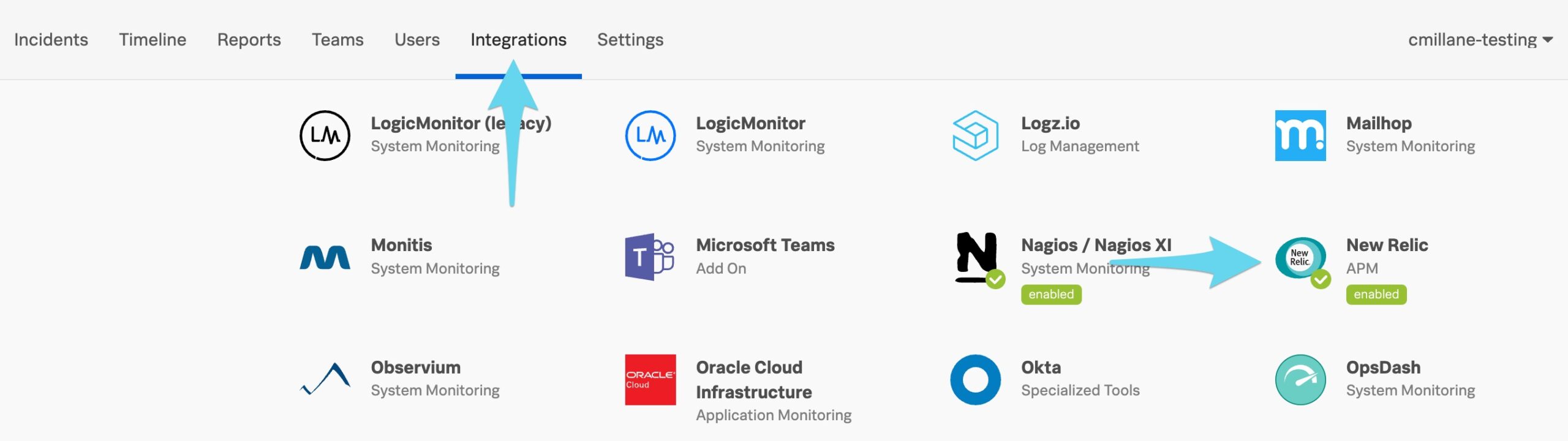
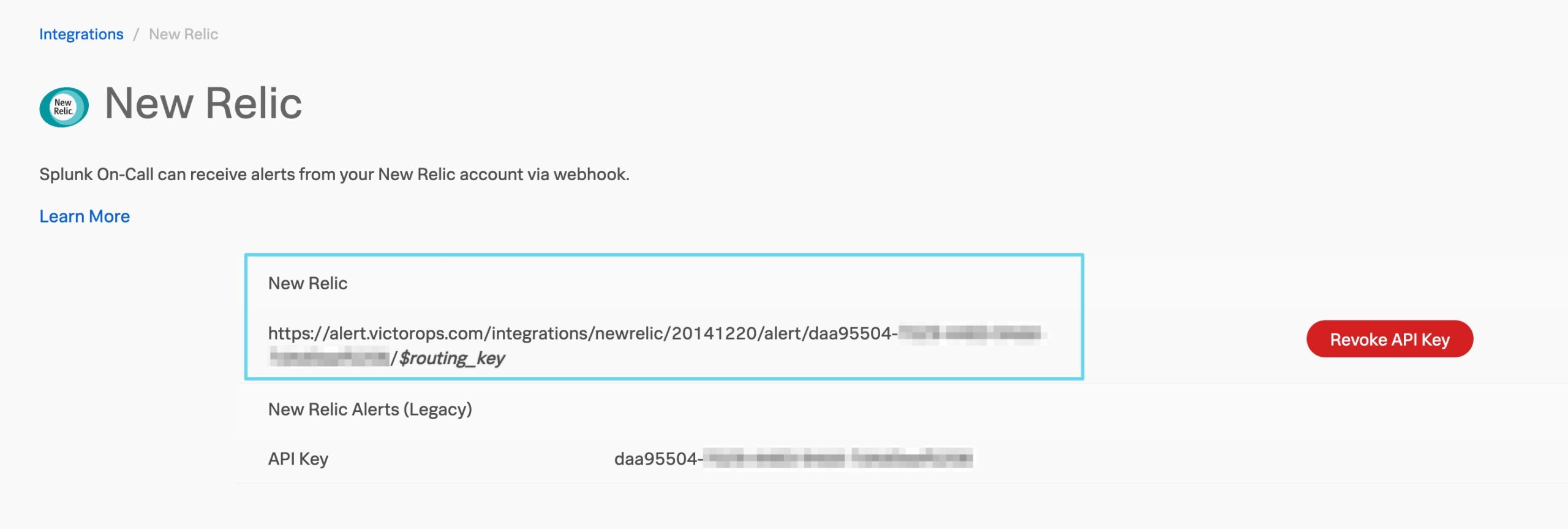
Select Enable Integration to generate your API Keys.
Copy the full URL for use later in New Relic.
Link Splunk On-Call with New Relic 🔗
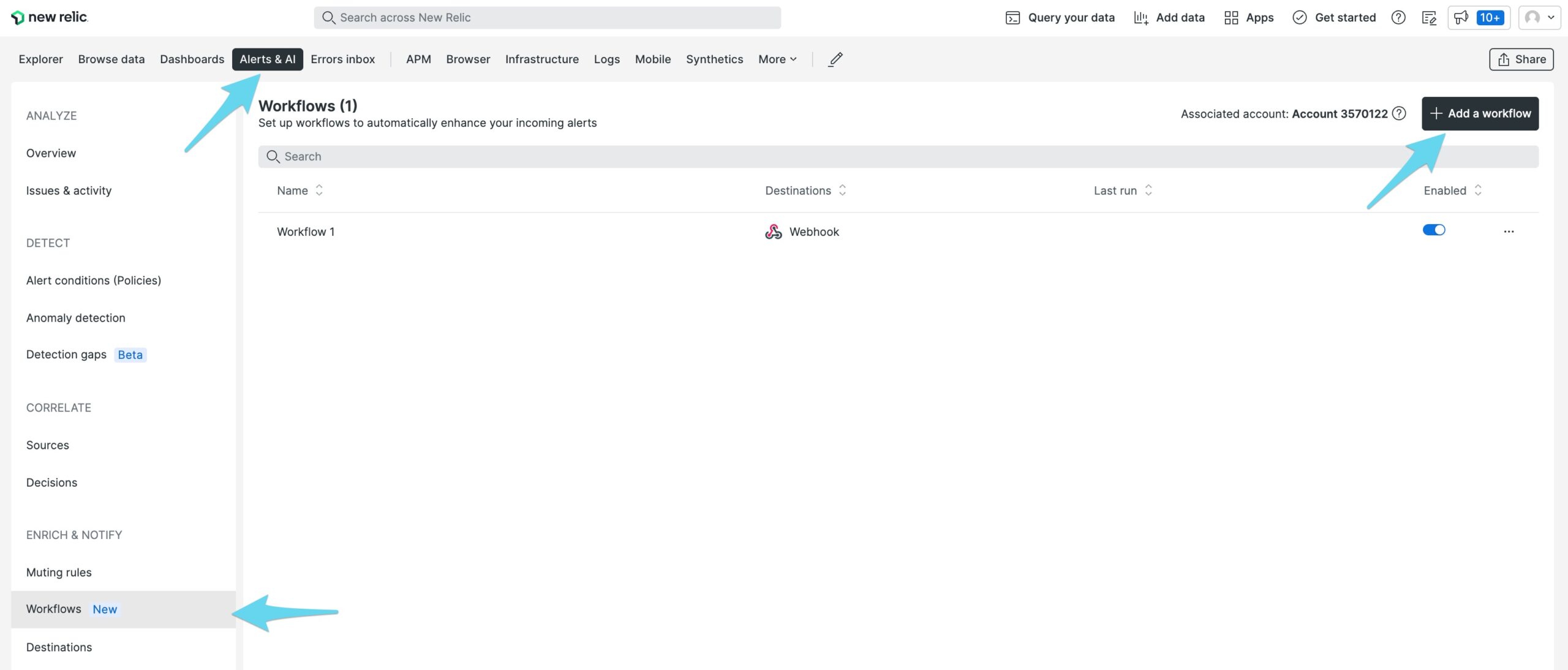
Bring up the New Relic Alerts & AI and select Workflows.
Add a new workflow.
Enter a name for the workflow and define your filtering and muting sections.
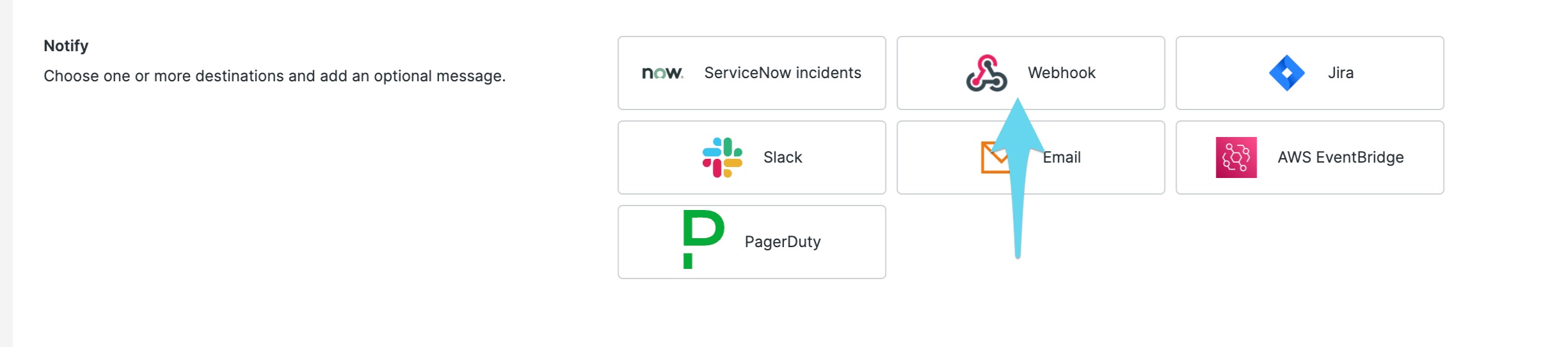
Select Webhook under Notify.
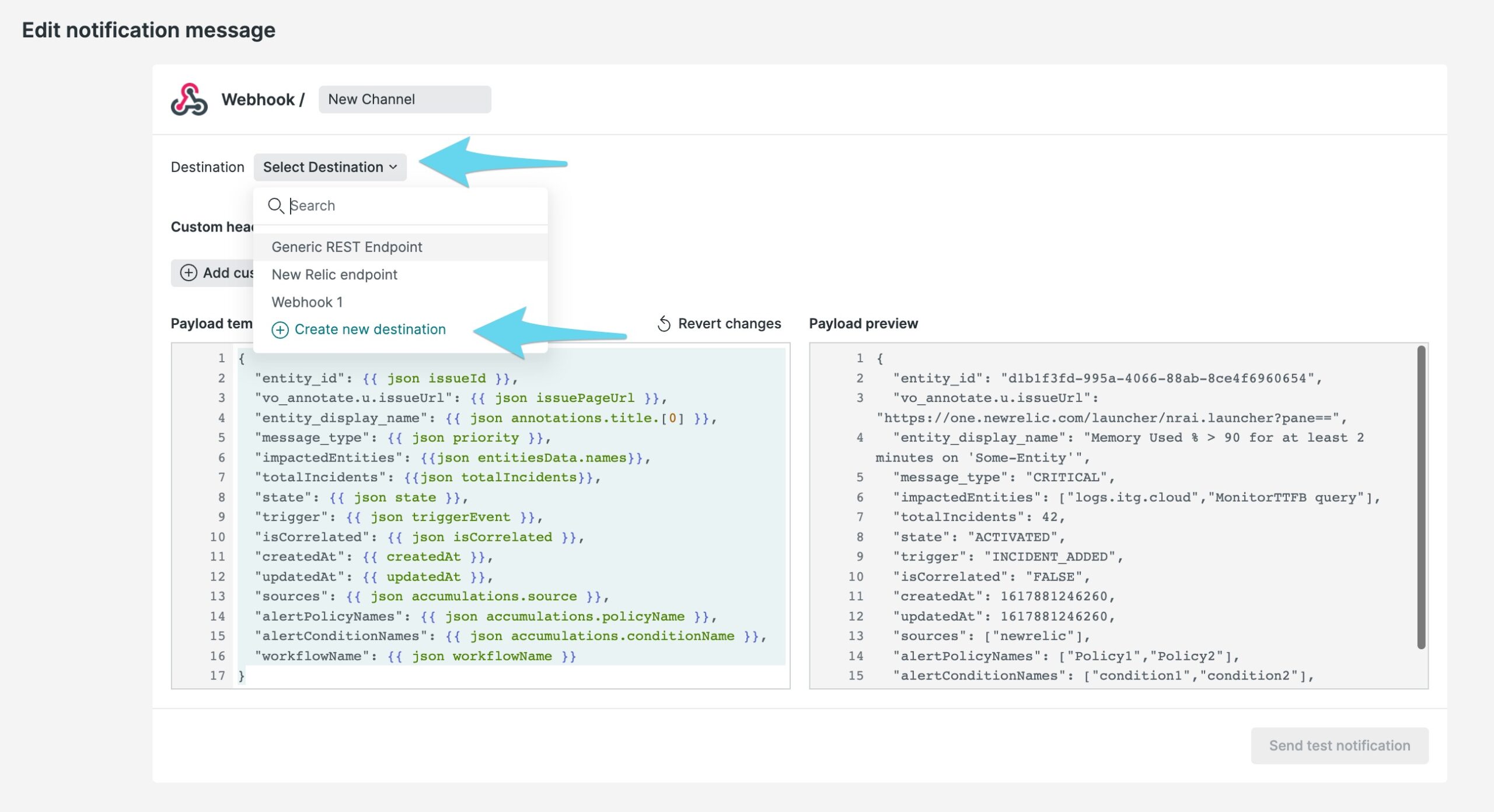
Select Select Destination then Create new destination.
Paste in the New Relic URL you copied earlier into the Endpoint URL. Replace the trailing
$routing_keywith the actual routing key you intend to use for the alert. For more information on routing keys, see Create Routing Keys in Splunk On-Call.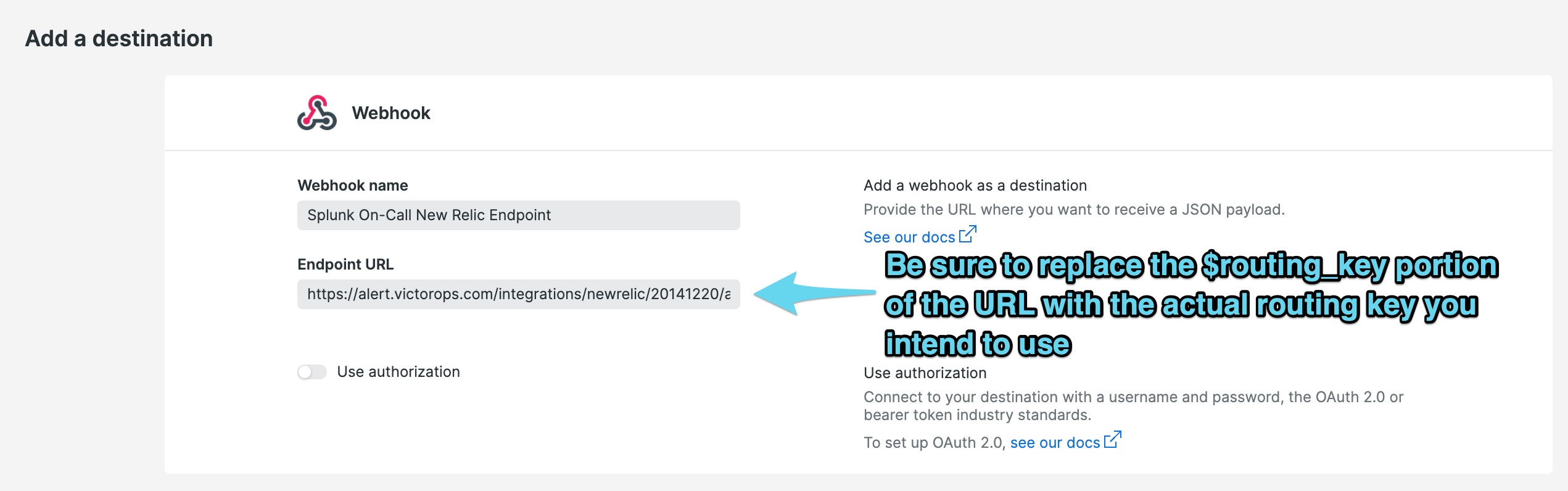
Save the destination.
Update the payload provided for the webhook. See the following example payload and make any customizations.
Sample Payload:
{
"impactedEntities": {{json entitiesData.names}},
"totalIncidents": {{json totalIncidents}},
"trigger": {{ json triggerEvent }},
"isCorrelated": {{ json isCorrelated }},
"createdAt": {{ createdAt }},
"updatedAt": {{ updatedAt }},
"sources": ["newrelic"],
"alertPolicyNames":{{ json accumulations.policyName }},
"alertConditionNames": {{ json accumulations.conditionName }},
"workflowName": {{ json workflowName }},
"monitoring_tool":"New Relic",
"incident_id":{{ json issueId }},
"condition_name" : {{ json accumulations.conditionName }},
"details" : {{ json annotations.title.[0] }},
"severity" : "CRITICAL",
"current_state" : {{#if issueClosedAtUtc}} "CLOSED" {{else if issueAcknowledgedAt}} "ACKNOWLEDGED" {{else}} "OPEN"{{/if}},
"event_type": "INCIDENT"
}
Select Send test notification when you are done with adjustments to ensure the notification arrives in your Splunk On-Call account.
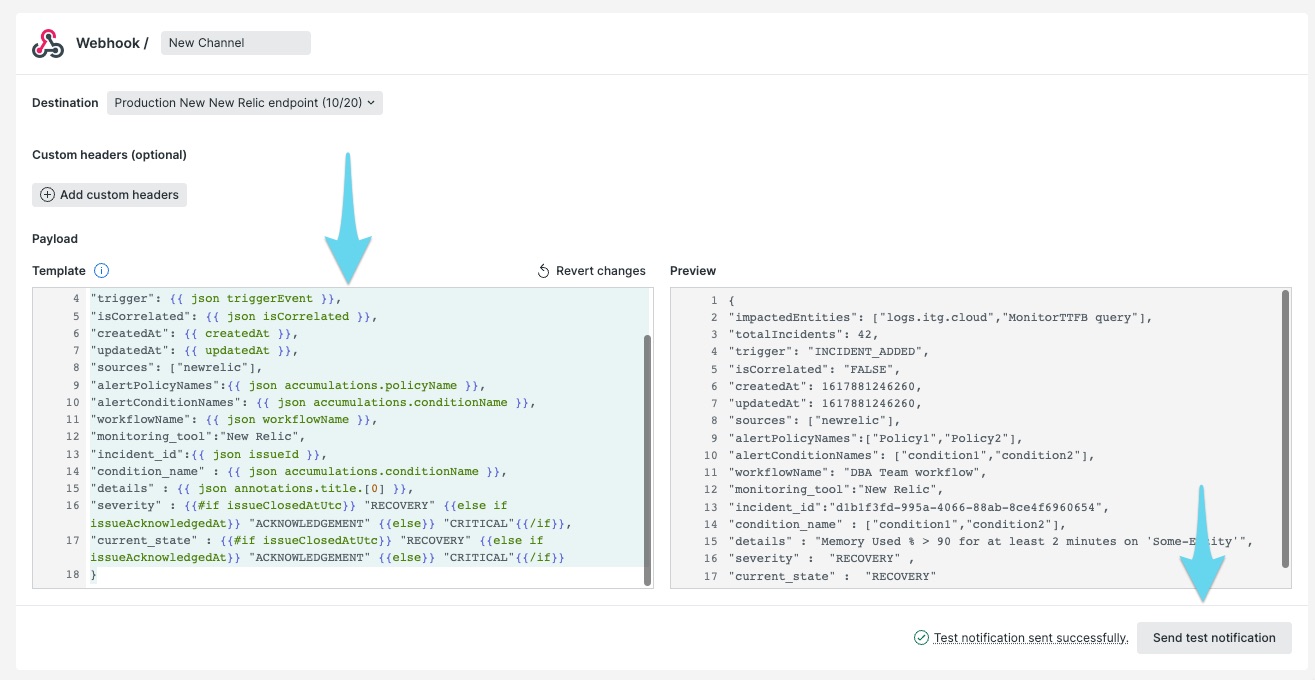
Select Update Message then Activate Workflow to save your changes.
The standard setup is now complete. Repeat as necessary to build new workflows that notify different Webhook Channels, each holding different routing keys. This will allow you to route alerts to the appropriate groups in Splunk On-Call.
Legacy version of New Relic 🔗
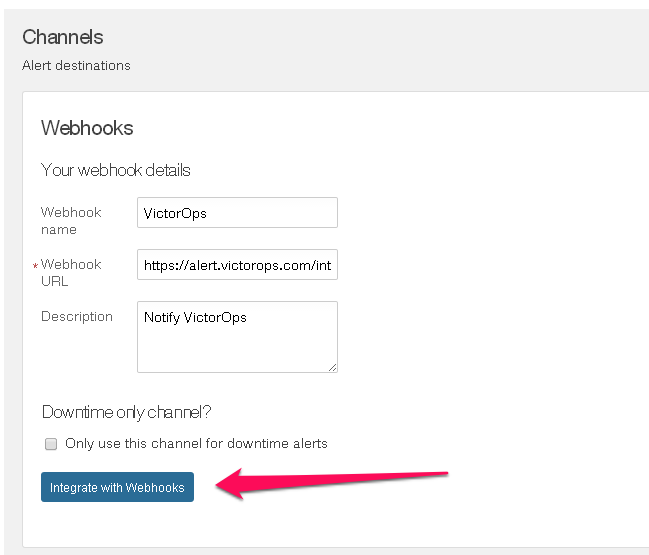
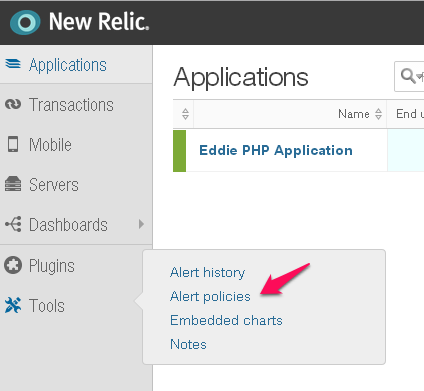
Add VictorOps as a WebHook in New Relic. Select Tools then Alert policies
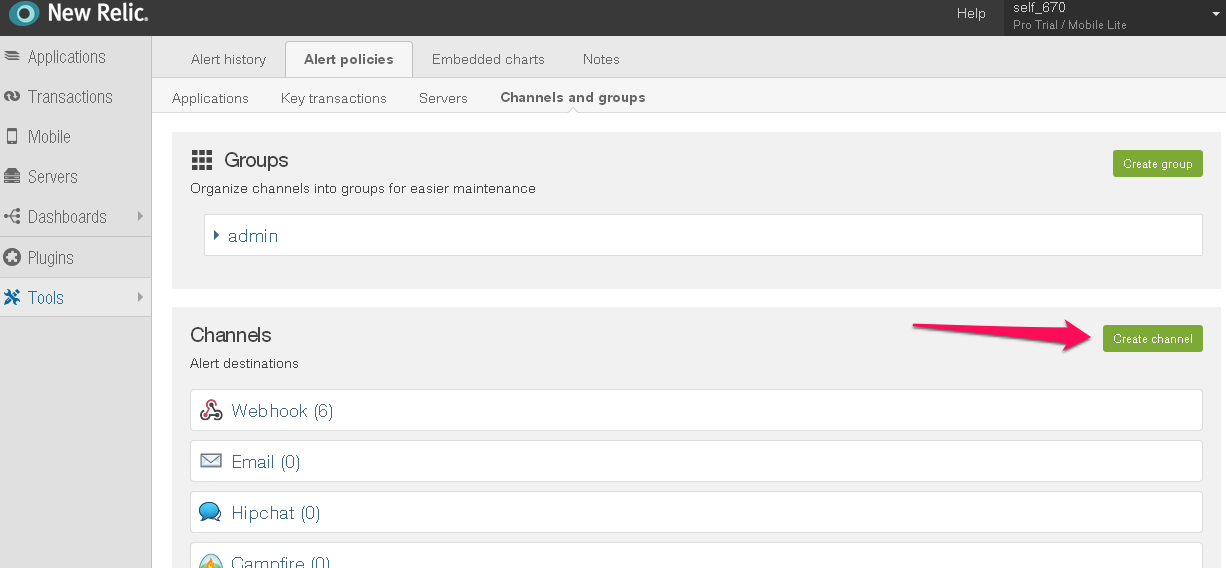
Select Channels and Groups

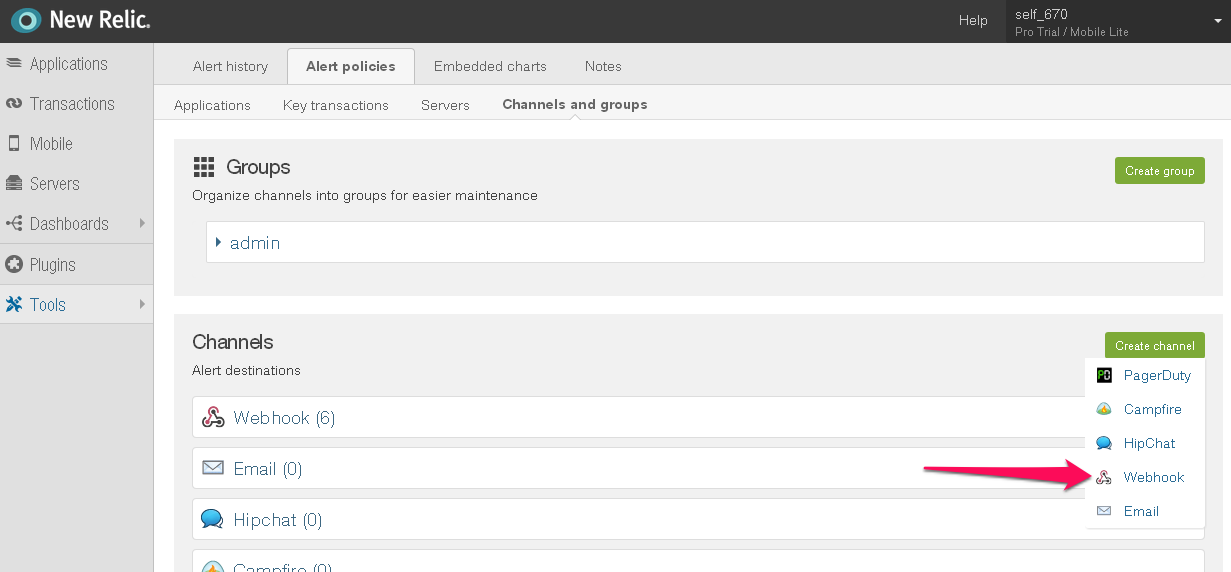
Select Create Channel then Webhook
 #. Enter any name.
#. Enter the following for the WebHook URL, make sure to include the correct key and route_key:
#. Enter any name.
#. Enter the following for the WebHook URL, make sure to include the correct key and route_key: https://alert.victorops.com/integrations/newrelic/20140115/alert/--key--/--routing--#. Select Integrate with WebHooks